for technical founders and dev-tool teams who work with an editor
A script your editor can cut and your engineers can check.
ReadyToEdit reads your commit history, screen recordings and notes, proposes the story worth a video, and drafts a script that cites the commit, clip or note behind each claim it can back. You approve it. Your editor gets one link and does the edit.
$ git log --oneline
- a91c3f2chore: bump deps
- 7be41d0stream export rows instead of buffering the file
- c2d17f9progress: drop the total
- 4e0b8aaremove export queue worker
- e58a1b0fix flaky billing test
- 19fd6c2wip
- d4c9e37fix
- 6a2f0e1docs: export limits
drive / release-2.4 /
- memory-profile.png
- notes/streaming-tradeoffs.md
- export-run-2.3.mov
release video · draft 3
- This release deletes the part that held the whole file in memory.7be41d0
- Peak memory went from 3.1 gigabytes to 38 megabytes.memory-profile.png
- What it cost: the progress bar can no longer show a total.streaming-tradeoffs.md
Numbers match each source to the line that cites it. Grey: read and left out.
Release 2.4, on the record
GeneratedMon 09:14
Changes requestedMon 16:02
“The opening skips the two years we spent buying hardware. Say that part.”
In reviewTue 08:31
ApprovedTue 11:47
How the week changes
The same week, without the briefing call.
--- today
+++ with ReadyToEdit
@@ -1,3 +1,4 @@ your release week
- 11
Today:
You ship every week and post maybe once a month, always about something three commits ago. - 22
Today:
When you do post, the brief is a Slack paragraph, a Drive folder and a call to explain what changed. - 33
Today:
The first cut shows a wrong flag, and the revision round goes to an engineer fixing it. - 11
With ReadyToEdit: On Friday the Read, a proposal of stories from your week’s work, is waiting in the app. The video is about this release.
- 22
With ReadyToEdit: You prepare the draft when you want it. Each claim it can back points at the commit, clip or note behind it.
- 33
With ReadyToEdit: The wrong flag is caught in the script, before the first cut, and no revision round goes to fixing it.
- 44
With ReadyToEdit: Your editor gets one link: the script, a clip for each beat, the original files. No account, no call.
Every line, annotated
Read the script the way you read git blame.
Each line of the draft carries the commit, file or timecode it was written from, so an engineer can check it as fast as they read it. A line with nothing behind it is marked, and you decide what to do with it.
release video · draft 2 · Ipsum Analytics
- commit
- recording
- screenshot
- note
- reviewer
- 1
Two years ago somebody asked why our CSV export dies at a million rows.source 1
- reviewerstruck · Tue 08:31−
Struck by the reviewer: This release is about why the fix removed code instead of adding workers.struck ·Changes requested, Mon 16:02: “The opening skips the two years we spent buying hardware. Say that part.”
- revieweredited · Tue 08:312
Added by the reviewer: We added workers. We added a queue. We paid for a bigger box.
edited Tue 08:31 ·Written by the reviewer. The revision is kept with the script.
- 3
On 2.3, an export of 2.4 million rows gave up at sixty seconds.source 2
- 4
This release deletes the part that held the whole file in memory.source 3
- 5
Peak memory went from 3.1 gigabytes to 38 megabytes.source 4
- no sourceyour call6
The same export now finishes in 41 seconds.
no source ·Nothing in the material shows the 2.4 run. Record it, cite it or cut the line.
- 7
What it cost: the progress bar can no longer show a total.source 5
Sources
- 1
support-thread.pngscreenshot
A support thread titled “CSV export fails on anything over a million rows”: 38 replies, reopened four times. Names removed. - 2
export-run-2.3.mov0:04–0:12
A terminal.curlasks the 2.3 API for 2,400,000 rows and gets504 Gateway Timeoutafterreal 1m0.214s. - 3
7be41d0Priya N. · Thu 14:22
stream export rows instead of buffering the fileRows go to the response as they are read. The in-memory buffer and the export queue worker are removed. - 4
memory-profile.pngscreenshot
Peak memory per export: 3.1 GB on 2.3, 38 MB on 2.4. - 5
notes/streaming-tradeoffs.mdengineering note
“The progress bar can no longer show a total: we do not know the row count until the last row is sent.”
What your editor opens
One link for your editor. No account, no call.
The approved script, beat by beat, each beat with the clip placed on it and a player for that range only; or the whole script in one piece. Originals open where they live in your Google Drive, a Download handoff button gives them a text file for their own notes, and you can revoke or replace the link.
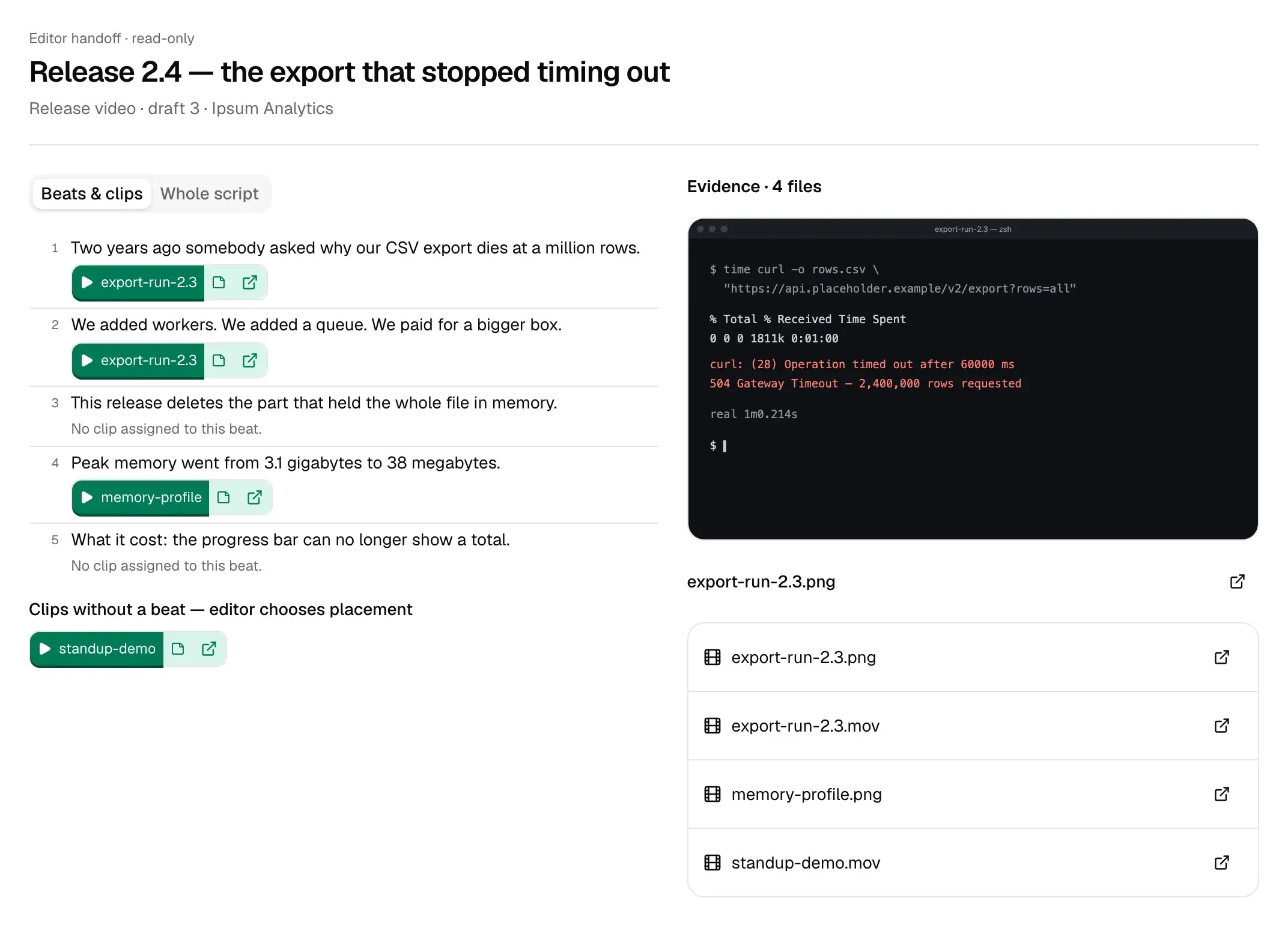
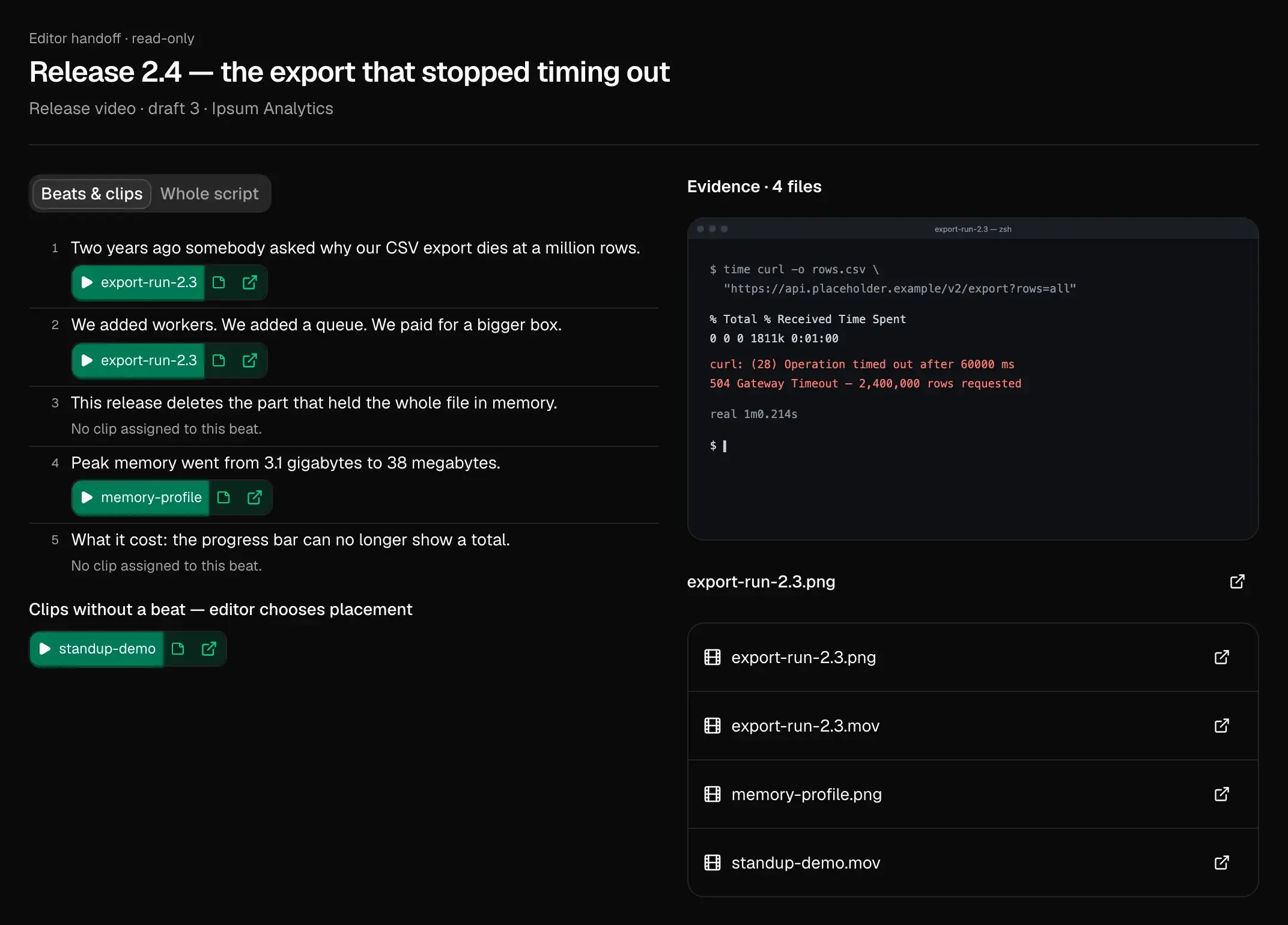
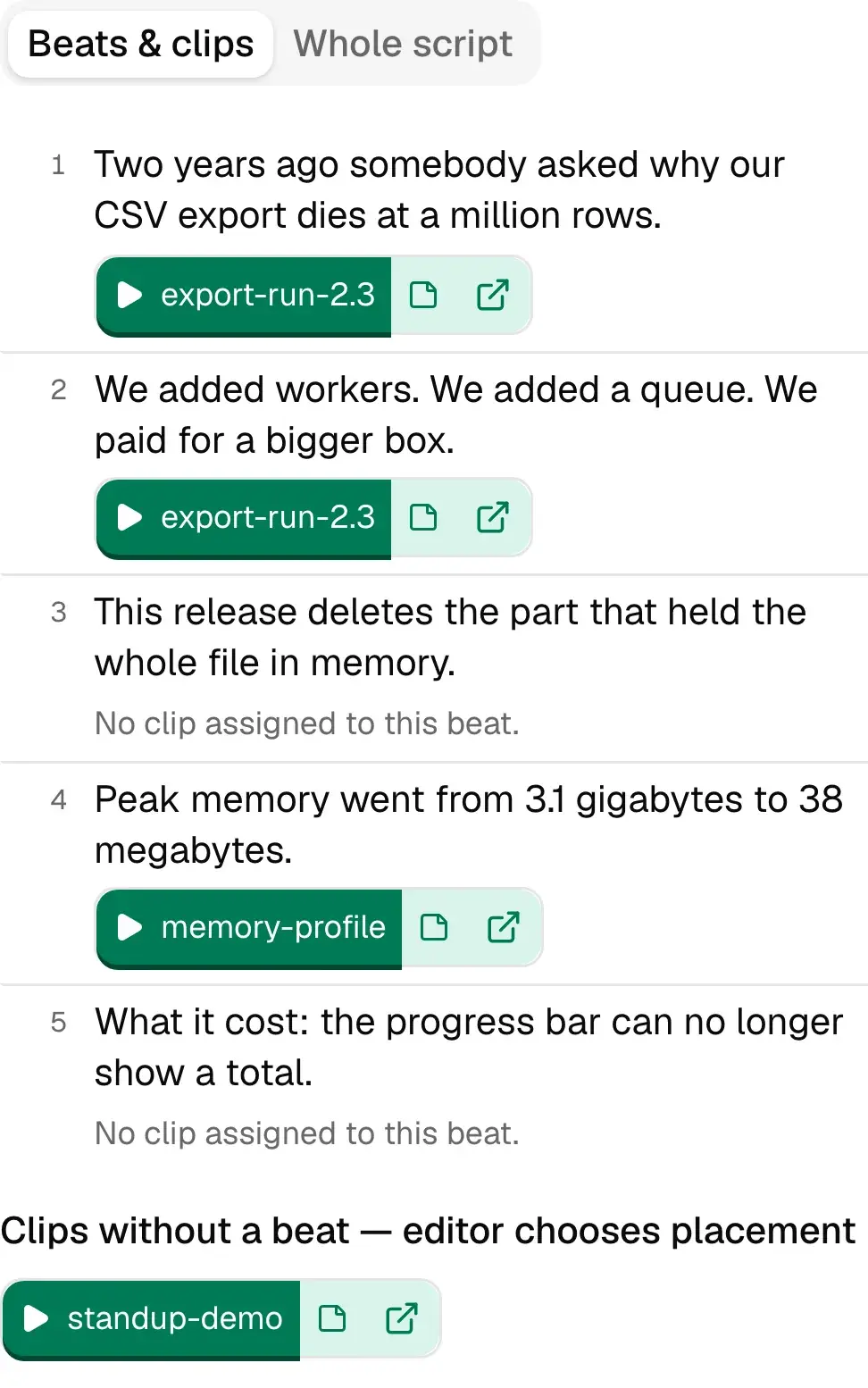
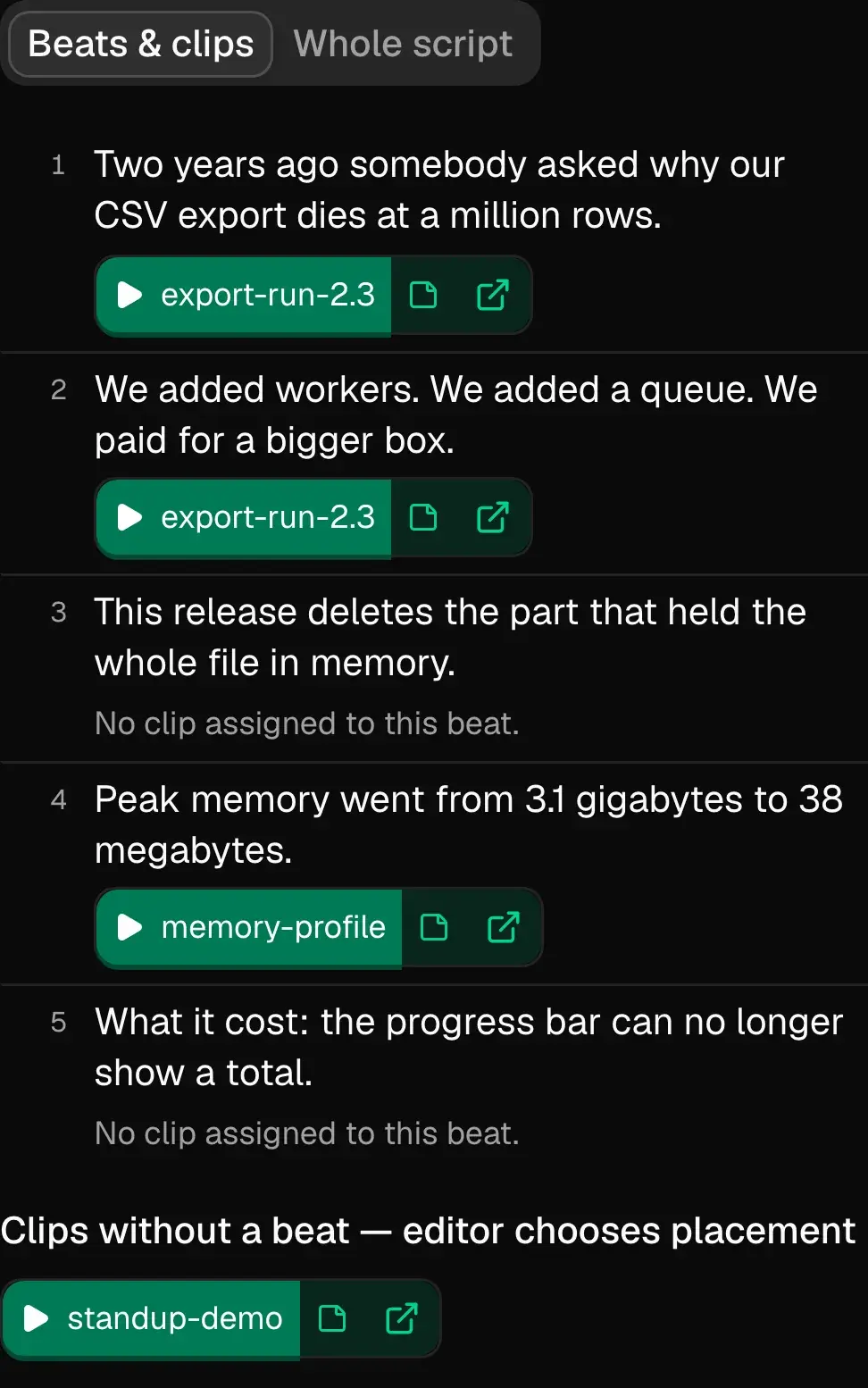
- 1Whole script: the approved text in one piece, to read straight through.
- 2Each beat names its clip. Press play and only that beat’s range runs.
- 3A beat with nothing behind it stays visible and empty. No clip is invented for it.
What it reads, exactly
Commits, recordings and notes, down to the field.
- GitHub commits
- Commit history, through a GitHub App on the repositories you choose: each commit’s message, SHA, author and time. New pushes arrive as they happen.notDiffs, pull requests, issues or the code itself.
- Recordings, clips
- mp4, mov and webm. It watches and transcribes them, so a line can cite a timecode and you can search the footage for a moment.notA description can miss what is on screen. The timecode is printed so you can look.
- Screenshots
- png, jpg and webp, described, so a claim can point at the image that shows it.
- Docs and notes
- Markdown, PDF and other documents: engineering notes, specs, the support thread you saved.
- Past posts
- What you already posted on X, LinkedIn and YouTube (Instagram and TikTok too), so a draft knows what you have said before. For a draft it posted to Bluesky or Mastodon: the likes, replies and reposts it gets afterwards.notScheduling, or replying to anyone for you.
- Google Drive
- A folder or single files, imported by reference. The handoff links your editor to the originals.
One commit, as it is kept
- sha
- 7be41d0c93a1f5e8b2d64f0a9c7e13b5d8f2a604
- message
- stream export rows instead of buffering the file
Rows go to the response as they are read. The in-memory buffer and the export queue worker are removed. - author
- Priya N.
- time
- 2026-09-10 14:22
- repo
- ipsum/placeholder-api
ExampleEvery field it keeps from a commit, for the one cited in Fig. 2.
How it finds things
It looks everything up before it writes.
Under the draft is retrieval-augmented generation over your own project. Before it writes a line or answers a question, it searches the commits, recordings, screenshots and notes you connected, and each claim keeps what it used and why. Each line in Fig. 2 names what it came from; line 6 has nothing, and is marked.
What it stops writing
Correct it the same way enough times and it stops.
It learns from the corrections you actually make, not from a guess at your taste. Cut the same kind of line out of enough drafts and it stops writing it.
Each habit is written down on What I’ve learned with the edits behind it, where you can correct it or throw it out. There is one list per workspace, and every project in it shares that list.
- exclamation
Exports finally stream
!!“You’d rather state a thing than exclaim it.”
5 supporting · 1 against
- hype words
A
blazing-fast, next-levelexport path“You cut the marketing words out of what I write.”
6 supporting · 0 against
- opening
In today’s data-driven world, exports matter more than ever.Two years ago somebody asked…“My openings do not survive. You write your own.”
3 supporting · 0 against
ExampleStruck text is a correction you made before posting. The quotes are as What I’ve learned prints them.
What it will not do
Known limitations.
- GitHub only. There is no GitLab, Bitbucket, Linear, Notion or Frame.io connector.
- It does not edit, cut, render or generate video. A person does the edit.
- It posts a draft’s text to Bluesky or Mastodon and nowhere else, after you connect once per project and confirm the exact thread. For X, LinkedIn, YouTube and the rest, you paste it yourself and press Mark as posted.
- No score, and no prediction of how a video will perform.
- Frame descriptions can miss what is on screen. Every cited moment carries its timecode so you can look.
- One set of learned habits per workspace, shared by every project and channel in it.
Plans
What a credit buysStarter
$20/month
About one half-hour recording a month (750 credits), one project, one reviewer seat.
Solo
$40/month
About 4 half-hour recordings a month (2,000 credits), one project, up to 2 reviewer seats.
Several recordings a week
Pro
$149/month
About 18 half-hour recordings a month (9,000 credits), up to 3 projects, up to 5 reviewer seats.
Team
$299/month
About 41 half-hour recordings a month (20,000 credits), up to 10 projects, up to 15 reviewer seats.
Free while billing is being set up. We will email before the first charge. The reserve link tells us which price you would pay; no card, no charge.
Questions
- Does it read our code?
- No. It reads commit messages, never the code. Every field it keeps is listed under “What it reads, exactly”, above, with one commit printed in full.
- Our commit messages are “fix” and “wip”. Does that still work?
- Not on their own. A commit message is thin evidence. Add the screen recording, a screenshot or a short note from the engineer and the draft has something to cite. A line with nothing behind it is shown without a source, for you to back up or cut.
- Why not a Claude or ChatGPT project with the repo in it?
- For an occasional post, that works. What it does not keep is the record: which source each line came from and why it was picked, what you and your reviewer changed, the clip for each beat, and a read-only handoff your editor can cut from. Corrections you keep making here carry into the next draft.
- Does my editor need an account?
- No. The link is read-only and opens without a sign-in.
- Does it edit or post the video?
- No. A person edits the video and you publish it. The one thing it posts itself is a draft’s text, to Bluesky or Mastodon, after you confirm it.
Connect a repo. Read what it proposes.
Install the GitHub App on one repository and add the last recording you made. Nothing is charged while billing is being set up.