Angle, script, sources, handoff

Grow your audience. Not your workload.

Connect your repo, recordings and posts. ReadyToEdit proposes an angle from what changed, drafts a script that cites the commit or clip behind its claims, and gives your editor one link.

Fig. 1Each claim in the script carries the commit, clip or capture it came from, so your editor can act on it without a briefing call.

Sound familiar?

The work shipped. The story didn’t.

You have the material. You still need the story.

The clips, notes, screenshots, and ideas are there. Turning them into one clear direction is not.

Your editor is ready. The brief is not.

Everything they need still exists in your head, waiting for you to explain it.

Every time you publish, you start over.

The same context, corrections, and setup have to be rebuilt from scratch.

Round two goes to explaining round one.

The first cut comes back without the reason a clip mattered, so the next round is spent saying it. Then the one after that.

Before and after ReadyToEdit

You dig through old work trying to decide what is worth sharing.

An angle is waiting at the end of the week, with the commits and clips behind it.

You rebuild the brief from memory and hope you included enough.

The draft cites the commit, clip or document behind each claim it can support.

Your editor needs you to explain what matters before they can begin.

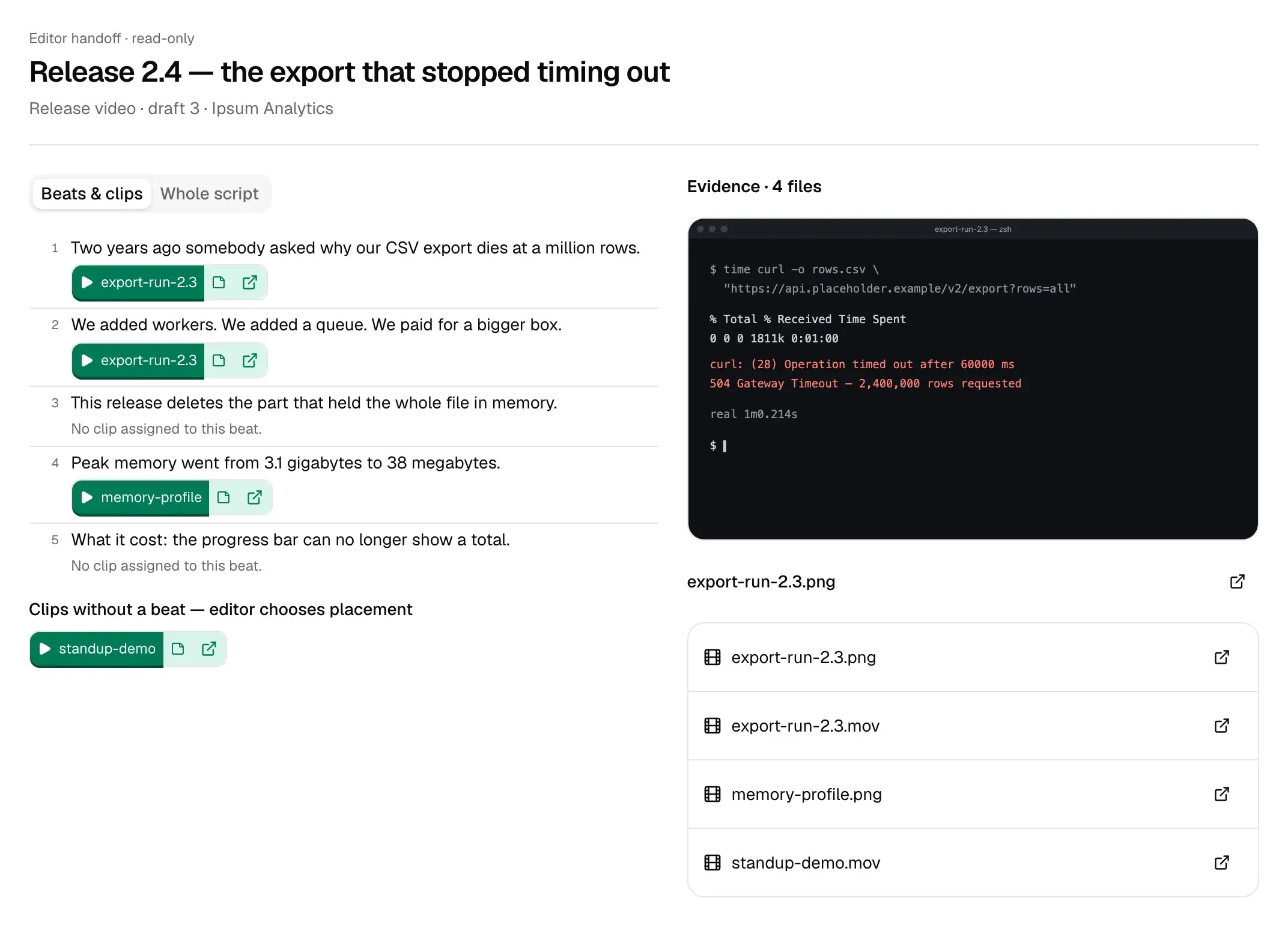
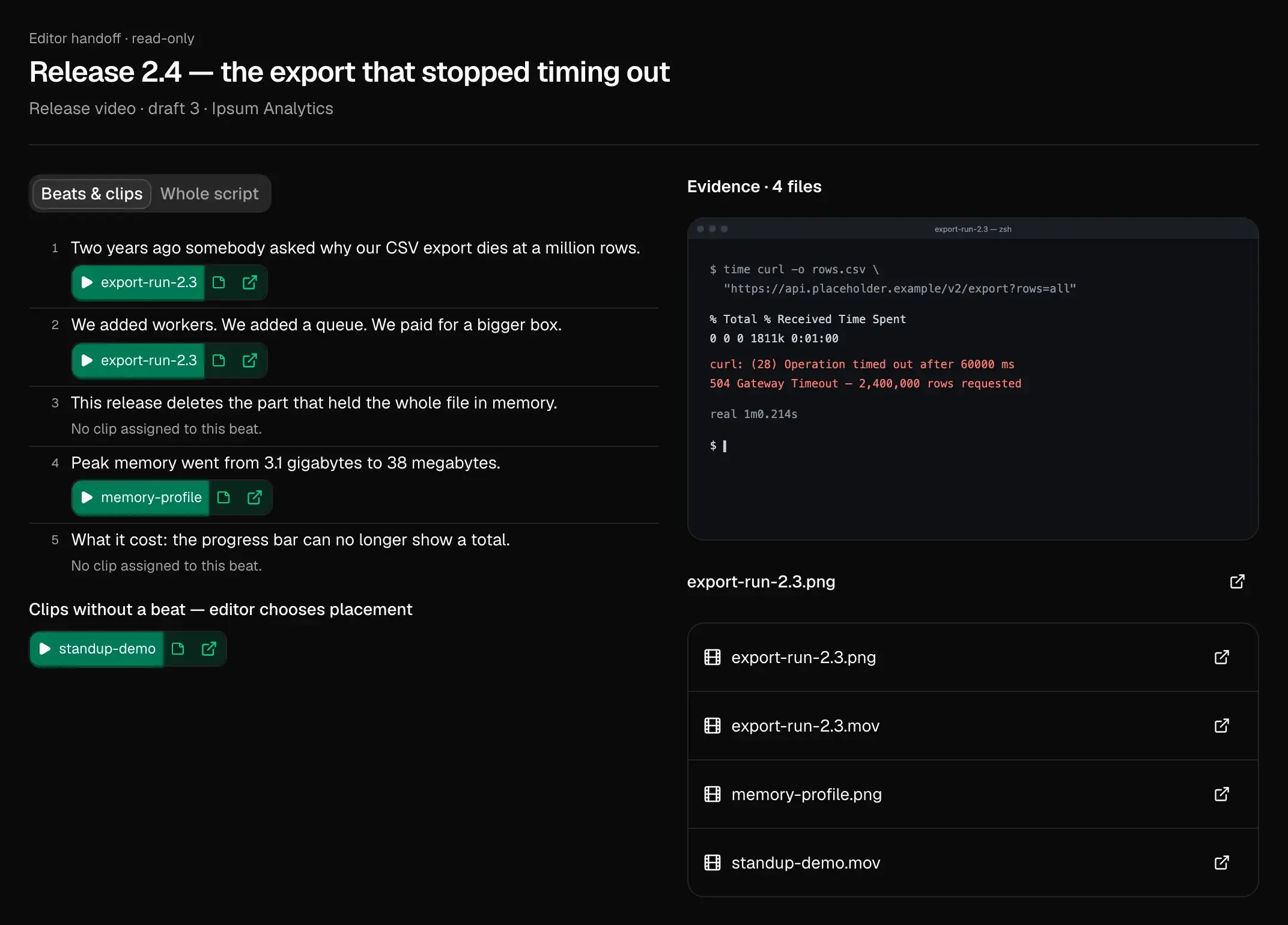
They open one link: the script, a clip for each beat, and the original files.

Your corrections disappear into comments, messages, and old drafts.

Decisions are recorded, and the corrections you keep making stop coming back.

Who it’s for

Start from the page written for you

  1. 01Technical foundersTurn your latest commits into your next script.
  2. 02Creators & teamsSend your editor the reasoning with the files, in one link.
  3. 03Editors & studiosOpen each client’s month with a proposed angle and its sources.
  4. 04Game studiosAn update post from this month’s commits and captures, ready for your store page.

What flows in

It starts from what you already make

  • Commits

    GitHub: each commit’s message, SHA, author and time

  • Social posts

    past posts, with comments and counts

  • Video

    recordings, described and transcribed

  • Images

    screenshots, captures, art

  • Documents

    notes, specs, PDFs, Drive folders

A line of printed text in close focus reading 'shipped the new renderer on Tuesday', with 'shipped' struck through in red and 'rewrote' handwritten above it. The rest of the page is out of focus.
Fig. 2A correction you keep making. After a few, the next draft starts from it.

How it works

From your idea to your editor’s next cut

  1. Connect what you already make

    Install the GitHub App on the repositories you choose, link a Google Drive folder or the accounts you post from, or upload recordings, images and documents. Already have a script in mind? Start in a conversation instead.

    Start your first draft →
  2. Pick the angle

    Each week, on Friday afternoon unless you change it, ReadyToEdit proposes stories from what changed, each with the commits, clips and posts behind it. Approve one, dismiss the rest, or bring your own.

    How angles are proposed →
  3. Review the words and the footage

    Read the script beat by beat, each claim beside the source it cites and the reason it was picked. Keep or reject each suggested clip; illustrative B-roll is labelled apart from footage that backs a claim.

    Review clip suggestions · sign in to read →
  4. Give your editor one link

    A read-only page that needs no account: the script, a clip for each beat, playback of its range and links to the original files. Revoke it or replace it whenever you like.

    Open the sample handoff →
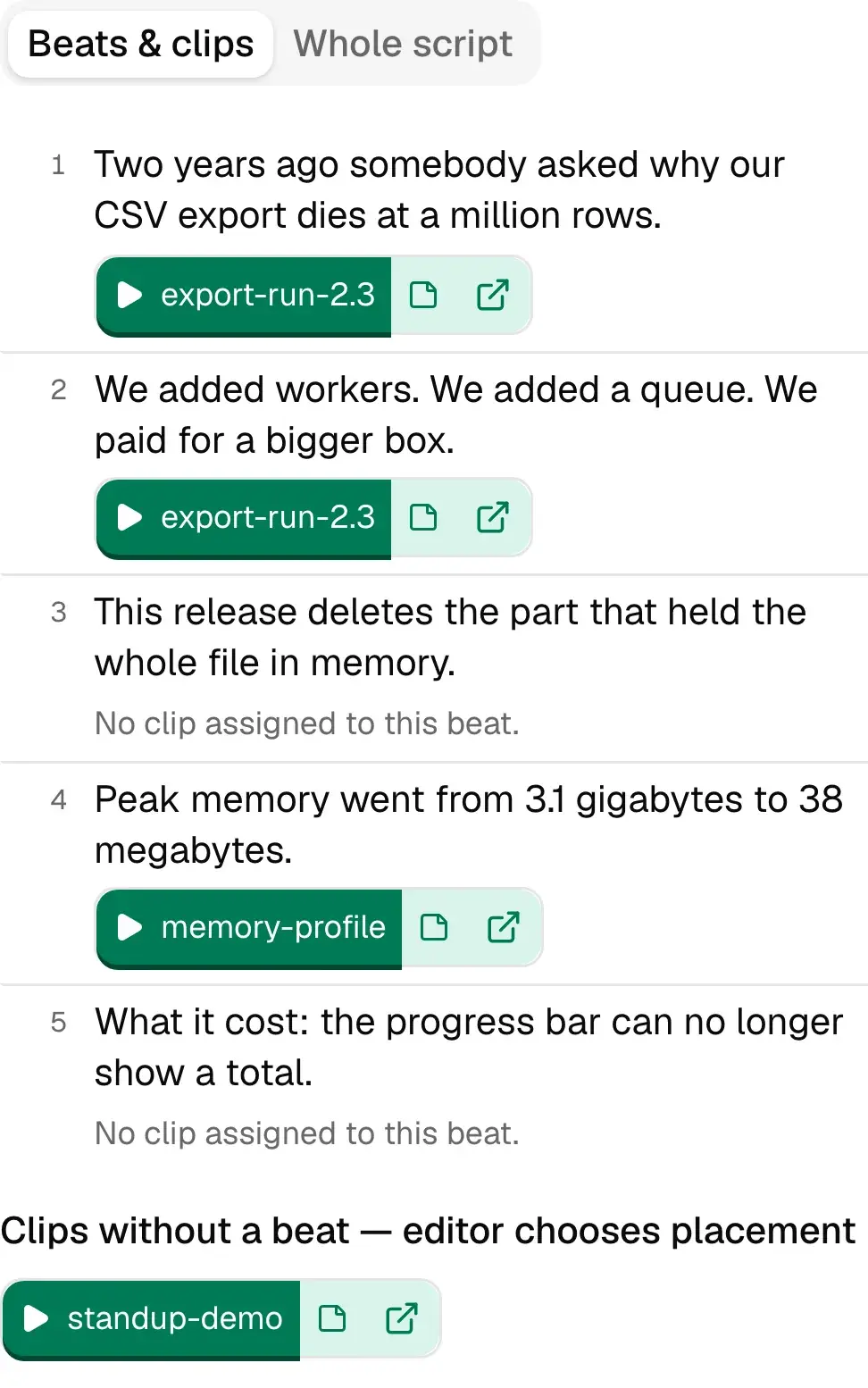
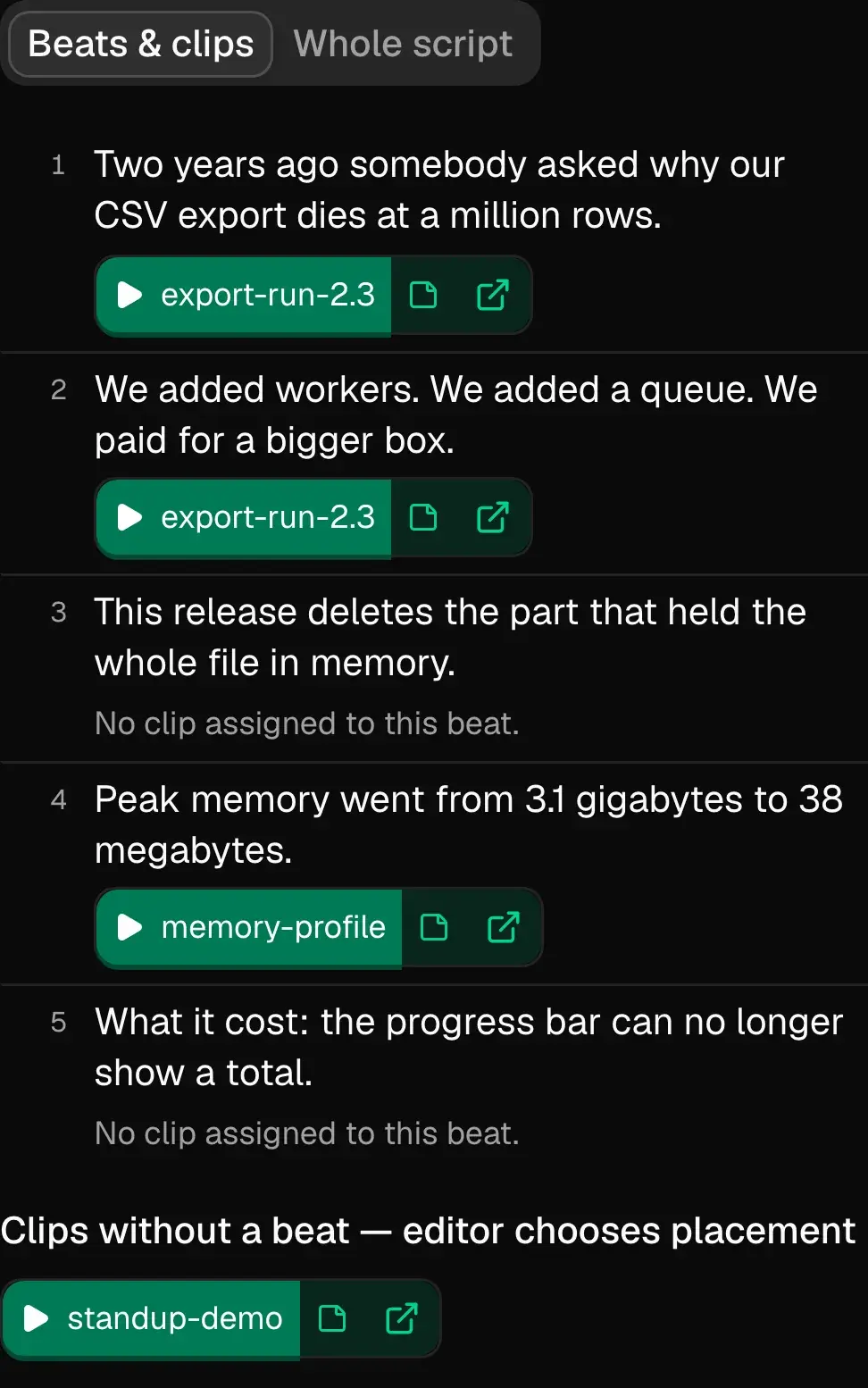
The editor handoff for an invented company’s release video: five numbered beats, three with a playable clip and two marked as having none, beside a panel listing the four source files.
  1. Beats & clips, or the whole script as one read.
  2. Each beat’s clip plays its own range.
  3. A beat with no clip stays on the page, marked empty.
Fig. 3ExampleWhat your editor opens. No account needed.

Evidence

Fig. 4The same three lines through one cycle. The draft cites its sources, review leaves the marks, and the corrections you repeat carry into the next draft.

AI does the reading and the first draft. You make the calls.

How the AI helps

The obvious question

Why not ChatGPT, Claude or Gemini?

Any model can help with one draft. ReadyToEdit builds on everything that came before.
doccommitpostclipDraft1234
Fig. 5A chat window has what you pasted today. This has every commit, post and clip you have connected.

A general AI tool can write a good draft from the files and prompts you give it in the moment. ReadyToEdit keeps your sources attached to the claims they support, records what you and your editor decided, and carries the corrections you keep making into later drafts.

Read the full comparison

Every plan includes the whole workflow

Starter

$20/month

About one half-hour recording a month (750 credits), one project, one reviewer seat.

Solo

$40/month

About 4 half-hour recordings a month (2,000 credits), one project, up to 2 reviewer seats.

Several recordings a week

Pro

$149/month

About 18 half-hour recordings a month (9,000 credits), up to 3 projects, up to 5 reviewer seats.

Team

$299/month

About 41 half-hour recordings a month (20,000 credits), up to 10 projects, up to 15 reviewer seats.

Free while billing is being set up. We will email before the first charge. The reserve link tells us which price you would pay; no card, no charge.

Questions

Is there a free plan?
Not a permanent one. While billing is being set up, every plan is free to use. When it opens, Starter is $20 a month, and we will email before the first charge.
What do I need to get started?
Connect whatever already holds your work: your GitHub commit history, a Google Drive folder, uploaded recordings, images and documents, or the social accounts you post from. ReadyToEdit proposes angles from that material and writes drafts that cite it. You do not need to reorganize anything first.
What does my editor receive?
One read-only link, no account needed: the script, its beats, the clips assigned to those beats, and playback of each. Original Google Drive links appear where available, and the whole handoff downloads as a text file. You can share a script before every beat has footage; a beat with no clip stays visible and empty.
Can I start with an idea instead of uploaded footage?
Yes. A script developed in conversation can become an editable, shareable draft. Footage search can suggest supporting or illustrative clips from your connected library. Having a draft does not mean every claim has been verified or every line has a matching clip.
Can I change the style without changing every future draft?
Yes. With the piece open in Studio, choose Style & context, then Change for this piece: pick that piece’s own Style, Audience or Goals, and Save. The project’s defaults stay as they are and other pieces keep using them. Use project default puts a layer back to the project’s choice.
Does a well-supported draft mean it will perform well?
No. Whether a source supports a claim, whether the writing sounds like you, and whether an audience responds are different questions. The product helps you inspect the first two. Views, watch time and audience growth still have to be tested after publishing.
Does ReadyToEdit edit or publish for me?
It does not edit video; you or your editor make every production decision. It can post a draft’s text to Bluesky or Mastodon once you confirm the exact thread, then reads the likes, replies and reposts back. Everywhere else you post it yourself and mark it as posted. Nothing is approved without you.
How do credits work?
Credits pay for bringing material in and drafting from it. The pricing page prices a 30-minute recording step by step and says how many each plan covers; text costs a fraction of that. Every plan has every feature; higher plans add credits, projects and reviewer seats.
What happens if I run out of credits?
Nothing stops working today. Credit allowances are stated on the pricing page and are not yet enforced while billing is being set up, so there is no cut-off waiting for you. When enforcement does arrive we will tell you before it starts and show what you have used. Your connected work, drafts, and review history stay available either way.
Why not use a Claude or ChatGPT project?
For a draft a month, it may be enough. Here the repo and the recordings stay connected, drafts cite their sources where they can, your edit sits beside the generated version, and your editor gets one link.
What does ReadyToEdit learn from my edits?
It notices the corrections you make again and again. Those carry into later drafts and are listed on a page you can correct. It applies across your whole workspace, every project and client in it at once. It never improves anyone else’s results, and your material is never used to train shared models.
Does it replace my editor?
No. Your editor starts from the script, its sources and the suggested clips instead of a briefing call, and still makes every creative and production decision.
Can I cancel at any time?
Yes. Nothing is billed yet. When billing opens, plans are month to month with no contract.

Stop starting from a blank page.

Connect GitHub, a recordings folder or the account you post from. The first angle starts from last week’s work.